

Get total protection at zero cost—start your free trial
Try 7 Days FreeBuy Now

Antivirus every Mac should have

  • Remove hidden malware
  • See how well-protected you are
  • Get comfortable with Mac security
30-day money-back guarantee
CleanMyMac Video Preview
Apple Notarized
Passed Apple’s security
check for malware
AV-TEST Certified
Independently verified
by cyber experts
18th
Anniversary
2008-2026
18 years of expertise in
developing Mac software
91%
Setapp
Top-rated
based on 307 reviews
Innovation Awards
Recognized for the
anti-malware tech

Meet effortlessly powerful cybersecurity

Moonlock feels as if it came with your Mac, like Finder or Spotlight. It’s lightweight, fast, and easy to use. Finds thousands of threats. Looks great doing it.

How It Works
Use all tools, pay zero

Check all defences in a heartbeat

Moonlock spots malware and system vulnerabilities from the very first second it lands on your Mac. Then, helps you make your Mac a fortress.
Find gaps in settings
Build safer habits
Avoid risky traffic
Detect malware
Unmask phishing
Confirm Wi-Fi safety

Feel safe on your Mac, again

What if your Mac is already infected, and you have no idea? Use Moonlock to ease your worries. It alerts you to threats in real time and gives personalized security tips. If there is a gap in your protection, a quick fix is always one click away.


Keeps you informed and unworried
Regain Peace Of Mind
Start your free 7-day plan
Andrew Orr

“The app is designed for people who feel overwhelmed by the complexity of digital security and want straightforward protection.”
MacPaw Content Image
2 clicks
reveal your level of protection
10 tools
on 1 helpful dashboard
Follow easy tips to fix security gaps
Learn about malware you (might) have

How’s your Mac feeling?

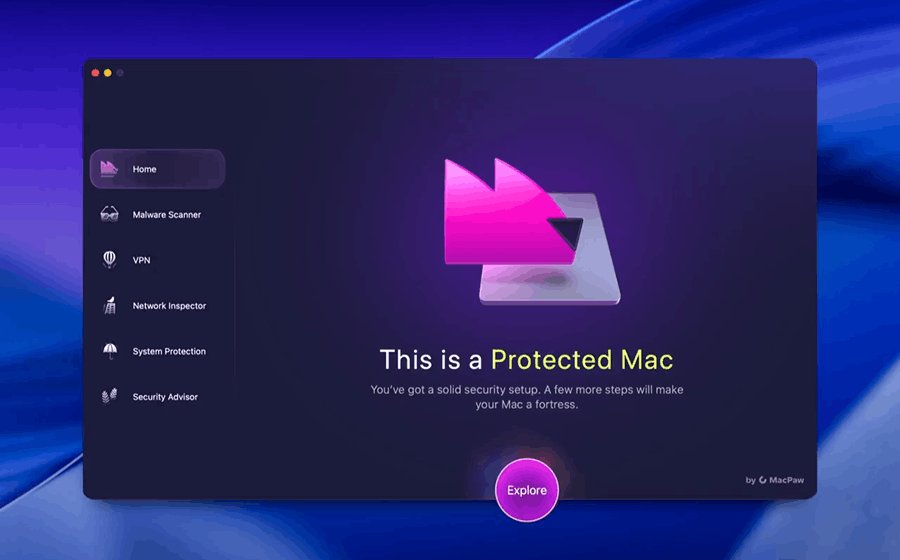
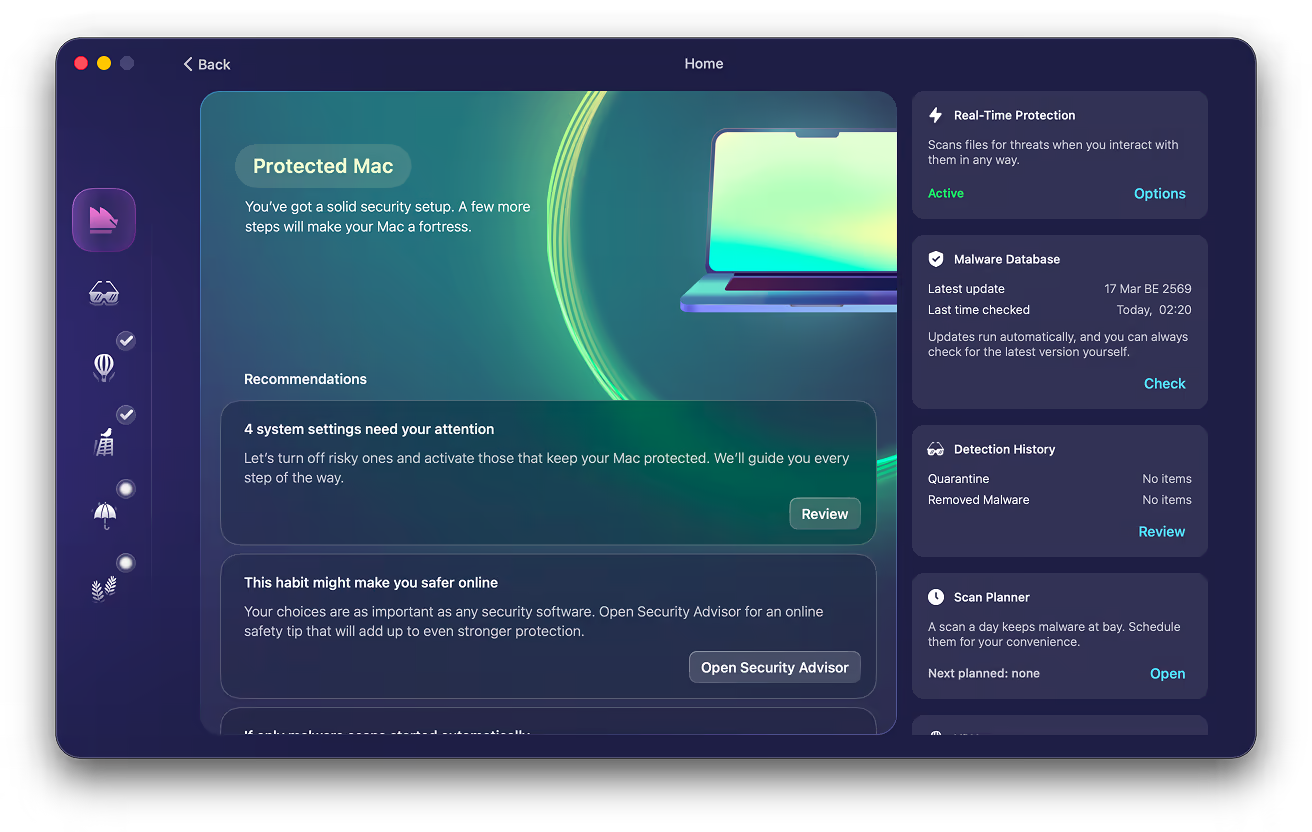
To help you understand your security setup easily, Moonlock greets you with a protection score and a short description of what it means. Follow its guidance to improve your defenses and move up the scale.

Home

At all times, Moonlock’s home screen shows if you’re safe or there’s a potential threat.

Explore

Go beyond the score and see all your protection tools at work.
Use all tools, pay zero

Antivirus for Mac, demystified

Stop wondering if you’re protected and start seeing it. Moonlock shows how every layer of your protection works in one place, confirming that everything is running exactly as you intended. You stay informed, in control, and totally unbothered.

VPN

Use it to hide your physical location. Think of it as your own virtual teleport.

Network Inspector

Cut off traffic to risky countries and minimize exposure to cyber threats.
Use all tools, pay zero

Curated recommendations

Moonlock looks at how you use security tools and build safety habits to calculate your protection level. Even reading a quick tip on creating stronger passwords improves your score. With Moonlock, little steps go a long way.

Fix urgent matters

If you’re at risk, you’ll see the most critical advice at the top of the list.

Learn a mindful approach

Explore videos, guides, and more, so you never feel lost in cybersecurity.
Use all tools, pay zero

Detection history

Malware comes in many forms, and it’s useful to know what tried to sneak onto your Mac. Look up the culprit on the internet to see where it might have come from and avoid those shady spots from now on.

Quarantine

Locked here, toothless and weak, malware can’t harm you.

Removed Malware

If empty, your security is outstanding. If it’s not, your security is still outstanding!
Use all tools, pay zero

Spot scams before they sting

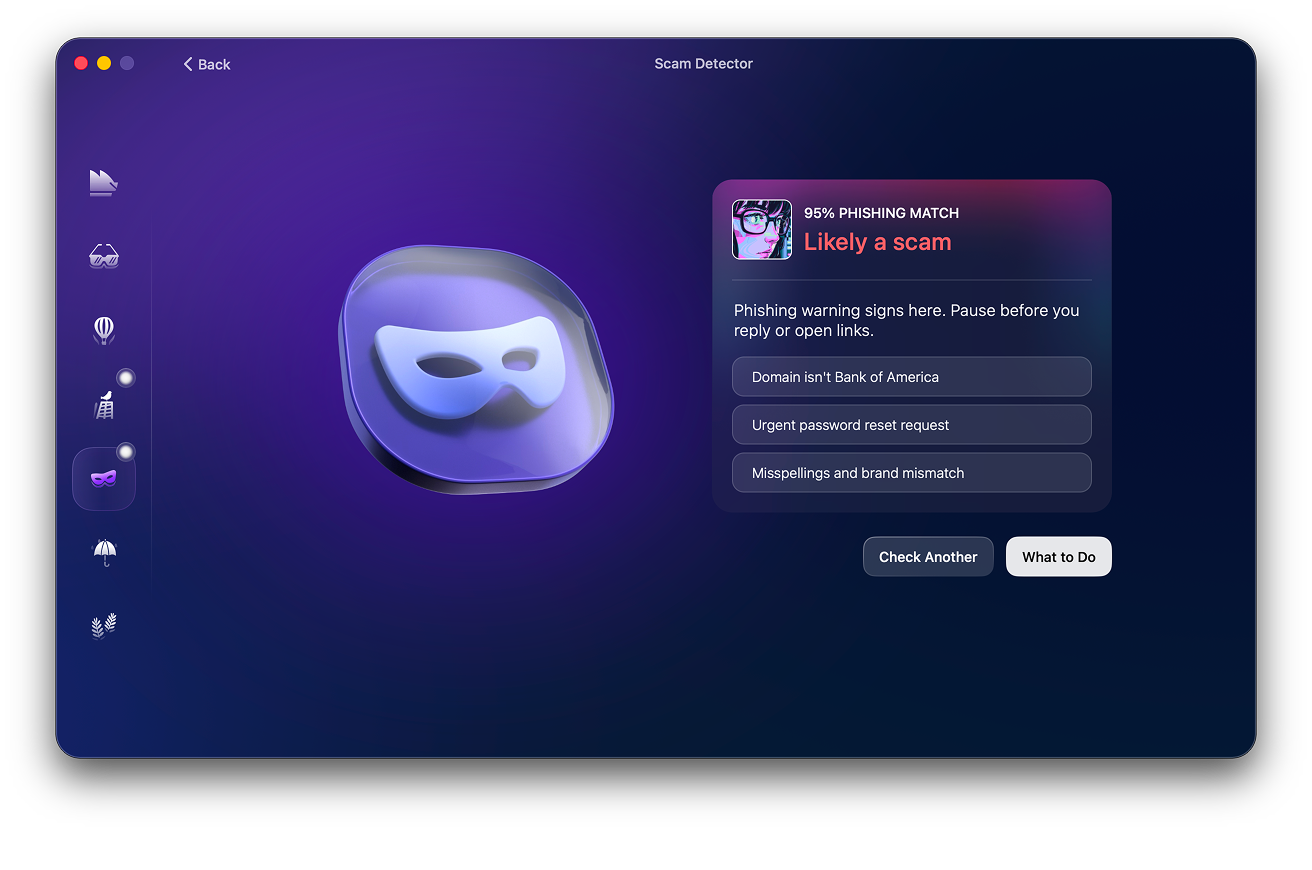
Wisdom gained from thousands of scam messages, now on your Mac. Paste any message, and Moonlock will check it for phishing patterns, fake urgency, and other signs of manipulation. In the world of AI-powered scams, you deserve to have an AI-powered Scam Detector.

Protect yourself from phishing
Check Your Texts Now
Start your free 7-day plan

“Users can replace modern digital security anxieties with transparent cyber protection that offers support and learning.”
MacPaw Content Image

Run antivirus scans on Mac

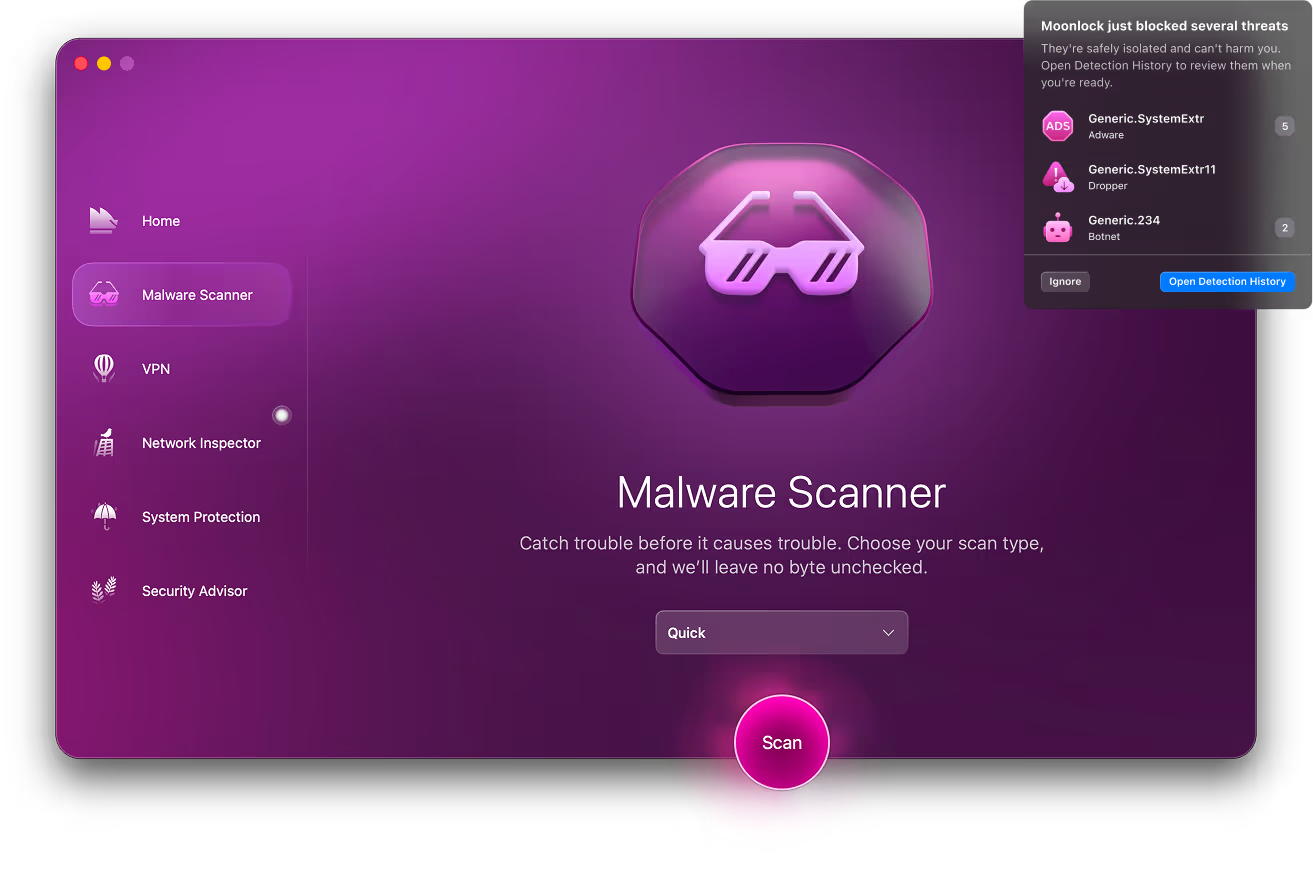
Some malware hides in the farthest corners of our Macs, only a true Mac-knowing antivirus can find it. Moonlock was designed for a job like that: to make sure nothing’s hiding in system folders, long-forgotten files, or even Mail attachments.


Knock malware out, for sure
Run Antivirus Check Now
Start your free 7-day plan
Chris Barylick

“The results are impressive, and Moonlock’s antiviral/anti-malware approach caught just about everything that was thrown at it from the sample library.”


7
types of antivirus scans
at your service
172,786
malware threats got caught on average daily in 2025*
99,75%
proven detection
accuracy
Protection that learns
on real attacks

Choose your scanner

Some malware lurks on your Mac unseen for months. Some attacks you head-on and scares the living daylights out of you. Moonlock combines 7 different types of Apple antivirus scans to help you stay calm, aware, and ready for whatever comes your way.

Drag & Drop

If you don’t need a full malware sweep of your Mac, just drag a file onto Moonlock screen. Fast and easy!

Scan Planner

Run regular antivirus scans on Mac without moving a finger. Simply schedule them go automatically.
Use all tools, pay zero

Real-time protection

Real-time protection watches over every file you interact with — whether you open, download, move, or rename it. Like the human immune system, it reacts instantly to malware trying to sneak in through scam links, phishing sites, or fake Apple security alerts.

Background scan

Even if you quit the app, Moonlock will be watching for threats. You won’t even notice it.

Mindful guidance

If there’s malware, you’ll see what it is and what to do next. You deserve to know more than “Threat resolved.”
Use all tools, pay zero

Apple antivirus, verified by experts

AV-TEST independently tests antivirus software to measure its detection ability and overall performance. Moonlock’s antivirus tech detected 99.75% of malicious samples for macOS, provided by AV-TEST. Don’t worry, we’re on that last fraction. Run, malware, run!

0% false detections

Moonlock makes no mistakes in telling malicious files from safe ones.

100% usability

Moonlock has minimal interference to your Mac experience.
Use all tools, pay zero

Moonlock Lab at your guard

Moonlock’s macOS antivirus is built around real-world Mac attacks to ensure your protection is grounded in reality. Moonlock Lab is the team of malware investigators that turns these attacks into daily protection—consider them your personal scouts on the cybersecurity field.

Database updates

You’re always equipped with the latest defenses against new Mac threats.

Security Advisor

Use our curated collection of tips for a safer living, vetted by cyber experts of Moonlock Lab.
Use all tools, pay zero
*Assembled data from all detections made by Moonlock’s 
proprietary anti-malware tech—Moonlock Engine.

Make system settings airtight

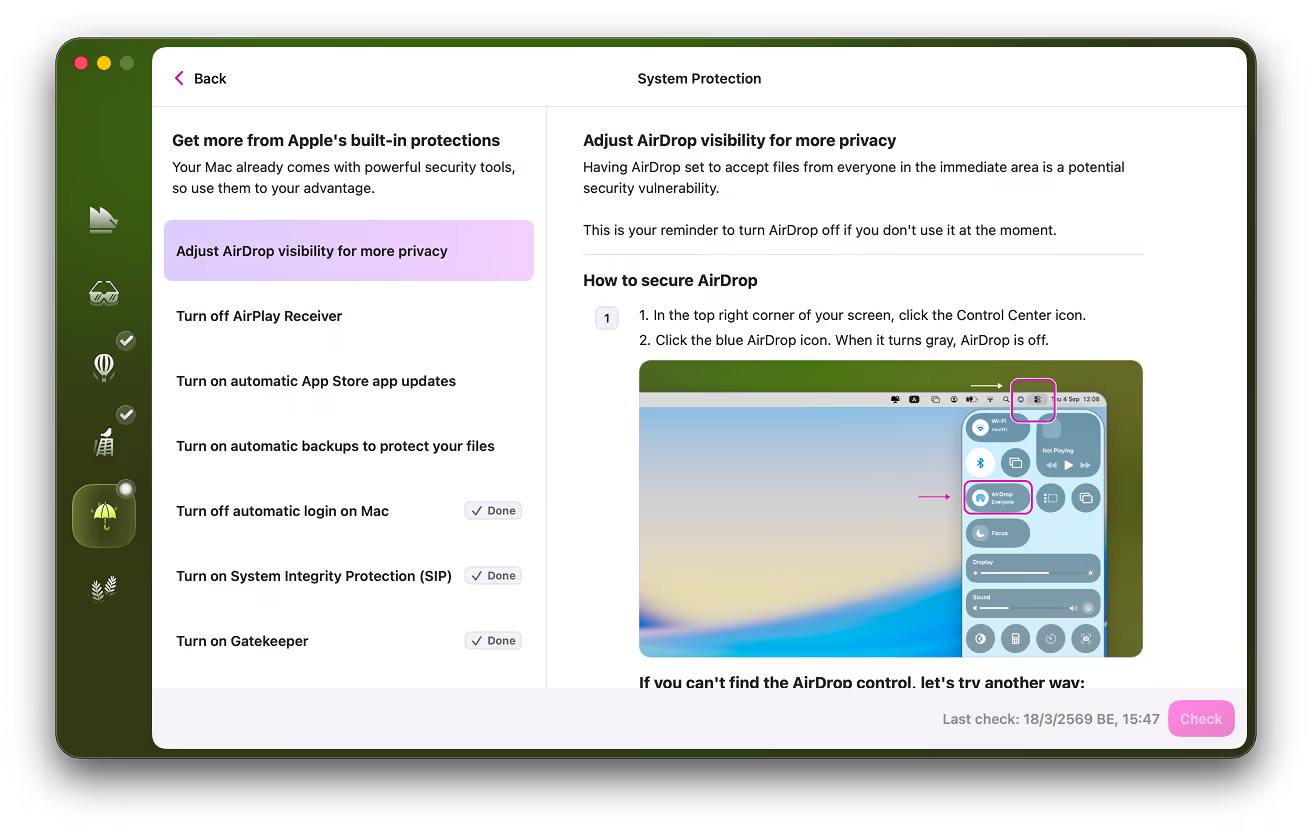
Apple doesn’t include antivirus—but macOS comes with powerful built-in protections. Set up 24 of them without taking your Mac to the Apple Store. Or searching for tutorials online. Simply follow Moonlock’s guidance.


Get expert info on macOS security
Adjust Your Settings Now
Start your free 7-day plan

“Any user, no matter how tech-savvy they are, can turn risky settings off and enable built-in macOS settings that protect them but are not enabled by default.”
MacPaw Content Image

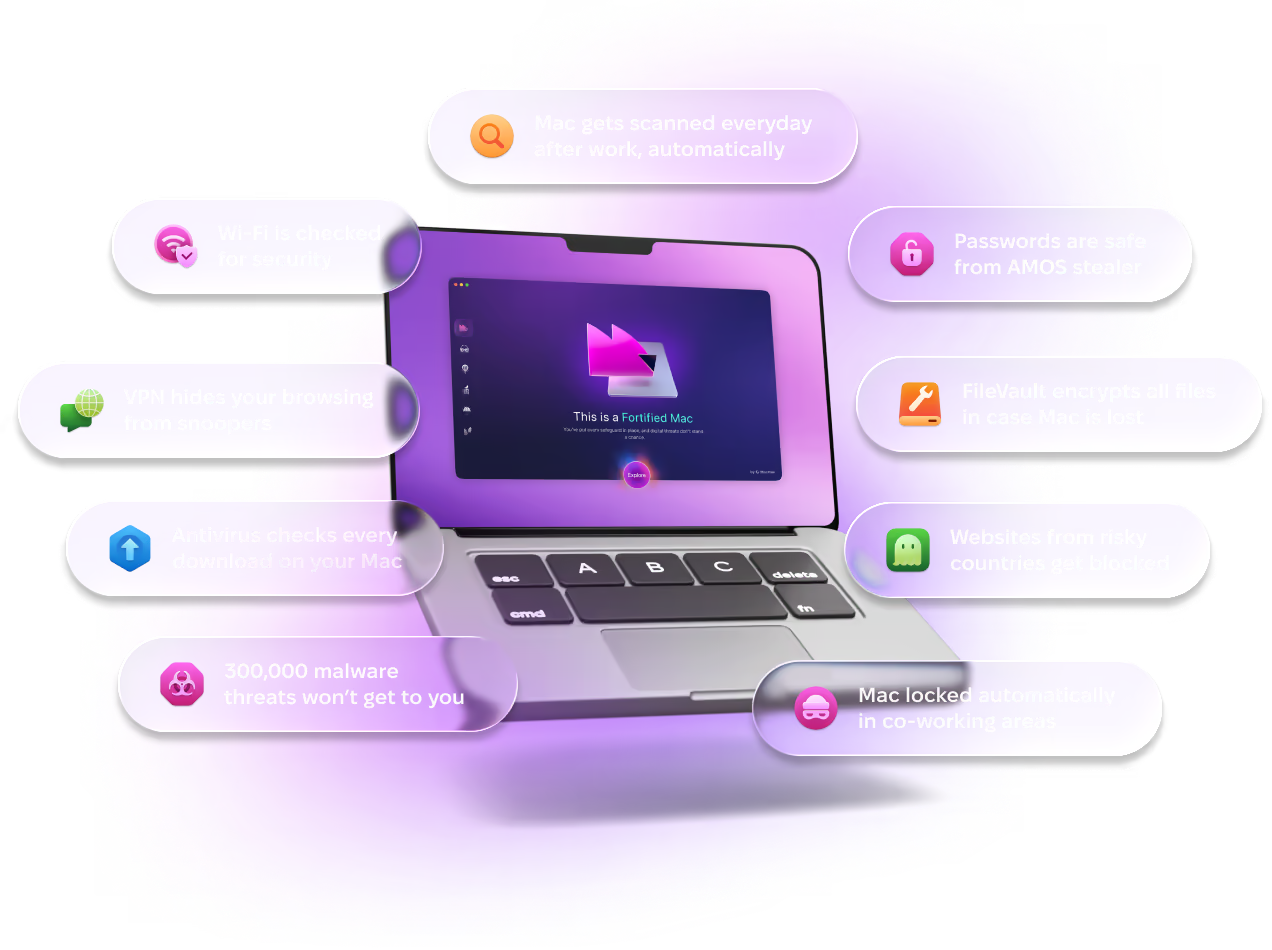
This is how a safe Mac feels

Get back to that feeling where everything just works. When the security worry is gone, you’re free to just enjoy your Mac.
30-day money-back guarantee

Users and experts share the love 🩷

Arin Waichulis

This is the new Moonlock app from MacPaw. I’ve been using it for weeks and I think it’s going to change how a lot of Mac users think about security. Real-time malware blocking, region-based network filtering, VPN, actually useful posture tips, and a pretty slick design

Patrick Wardle

Researchers from MacPaw’s Moonlock Lab were first to uncover PyStealer on VirusTotal and provide some initial details about the stealer.

Henrik Hedegaard on Setapp

great app. feeling way more secure with it.

Chilarai M

Ah great! Antivirus for Mac.Apple guys say you don't need an antivirus. Still if you have third-party software like Moonlock, you can feel assured

@CodeCode

Moonlock is a great security app worth installing.  

@NinjaLikesCheez

Damn, I was sat right behind you guys in the training and didn't say hi! The product design is amazing, I love the onboarding

@DefSecSentinel

Can't say enough good things about the team @moonlock_lab If you aren't following them and haven't taken a look at their research then make sure you do.

Big Mac on Setapp

Wow! Never had an antivirus on a Mac before, but this app is eye-opening. Now I'm even a bit excited to get infected with some minor virus to see how Moonlock reacts haha

Fran Besora

This new tool looks amazing as all the MacPaw stuff!
*Many thanks to our users for allowing to post their reviews.

Mac antivirus that cares, not scares

Moonlock

30-day money-back guarantee
Notarized by Apple

Windows user? Let us teleport you

While CleanMyMac is just for Mac, we’ve crafted an equally stellar app for Windows. The one that teleports your laptop anywhere.

ClearVPN is a hassle-free VPN with a stable connection and dozens of servers to choose from around the globe. So where would you like to go?

Lottie Animation with Delay
Try ClearVPN for Windows
Handy VPN for
a secure online life
Protect your digital journey in one tap
Secure browsing
Seamless experience
Enhanced online privacy
Download free